Record Retrieval
Reinvented

Get started
Supio Integration

Request Records from

0

Health Facilities

Record Retrieval
Reinvented

Get started

Request Records from

0

Health Facilities

Supio Integration

Record Retrieval
Reinvented

Get started
Supio Integration

Supio Integration

Medical Record Retrieval Connected to Your Case

YoCierge brings medical record retrieval directly into Supio Agent. Your team can identify missing records, prepare requests, and approve orders from the case you're already working on. YoCierge handles retrieval and delivers completed records back to the case automatically, ready for your team to review and use.

From the first request to the medical chronology and demand draft, connect records collection with case preparation.

Order Medical Records Directly from Supio

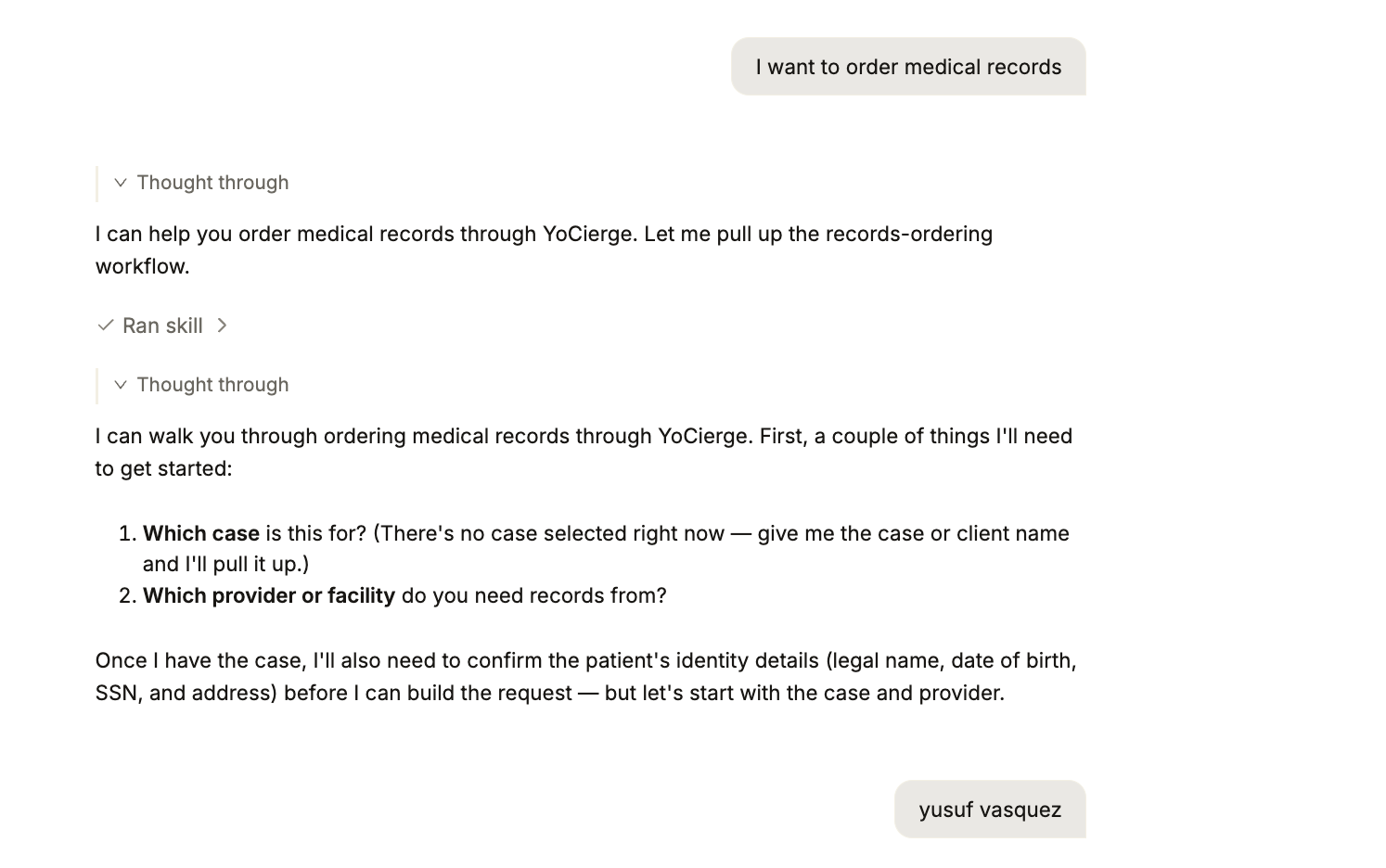
Start a records request with a simple instruction: "Order records for [client] from [provider]."

Supio helps prepare the order, bringing together the provider, patient information, record types, and treatment dates for your review. Request medical records, billing records, or imaging and radiology records according to what the case needs. Your team can move from reviewing the case to preparing a request within Supio Agent.
Order Medical Records in Supio

Find Gaps in the Medical Record

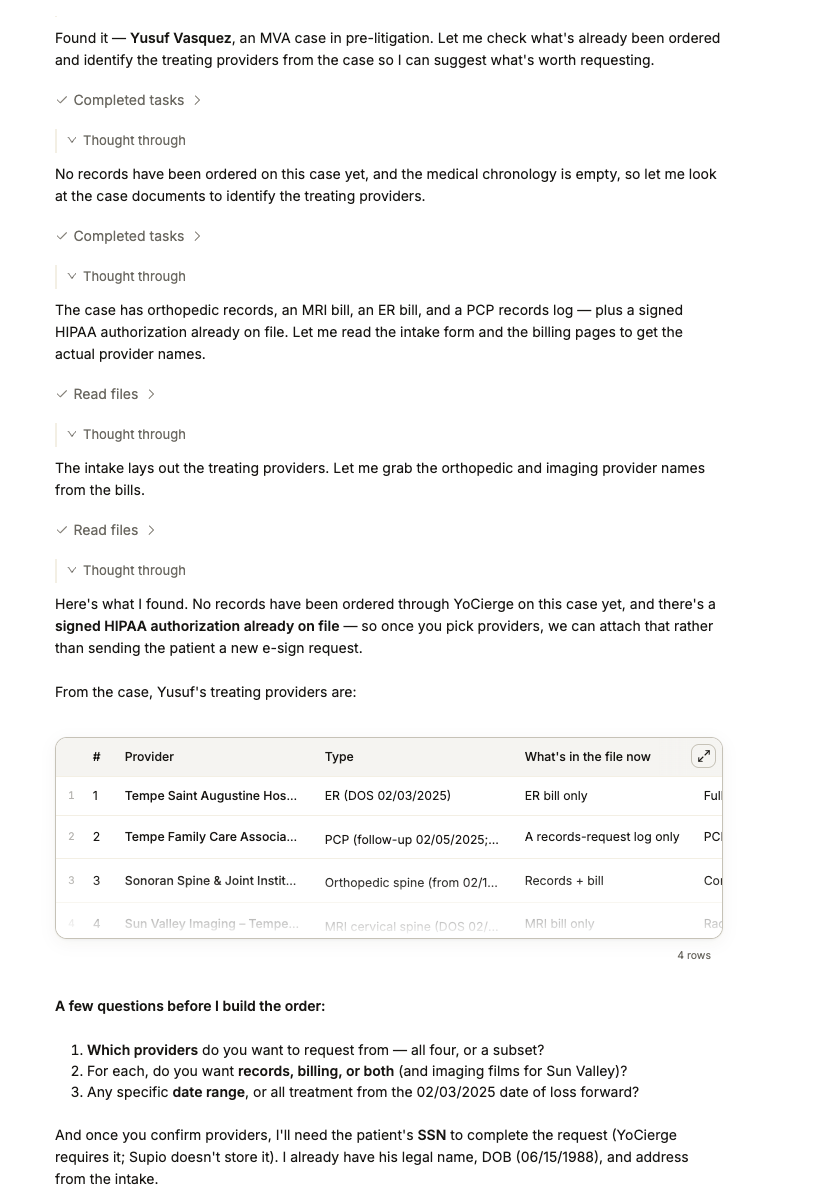
Ask Supio to review the treatment history in the case and recommend providers and date ranges to request.

Supio can flag treating providers with no records on file, incomplete date ranges, and gaps between visits. These findings give your team a focused list to review and follow up on as you work toward a more complete record.
Find Gaps in the Medical Record

Confirm the Provider and Patient Details

Supio presents a matching YoCierge records custodian for your confirmation. Your team verifies the facility and location before proceeding, a useful checkpoint when a provider operates across multiple sites.

Supio also pulls the patient's date of birth and address from the client contact, reducing repeat data entry. Review the patient's identity and supply any additional information needed to prepare the request.
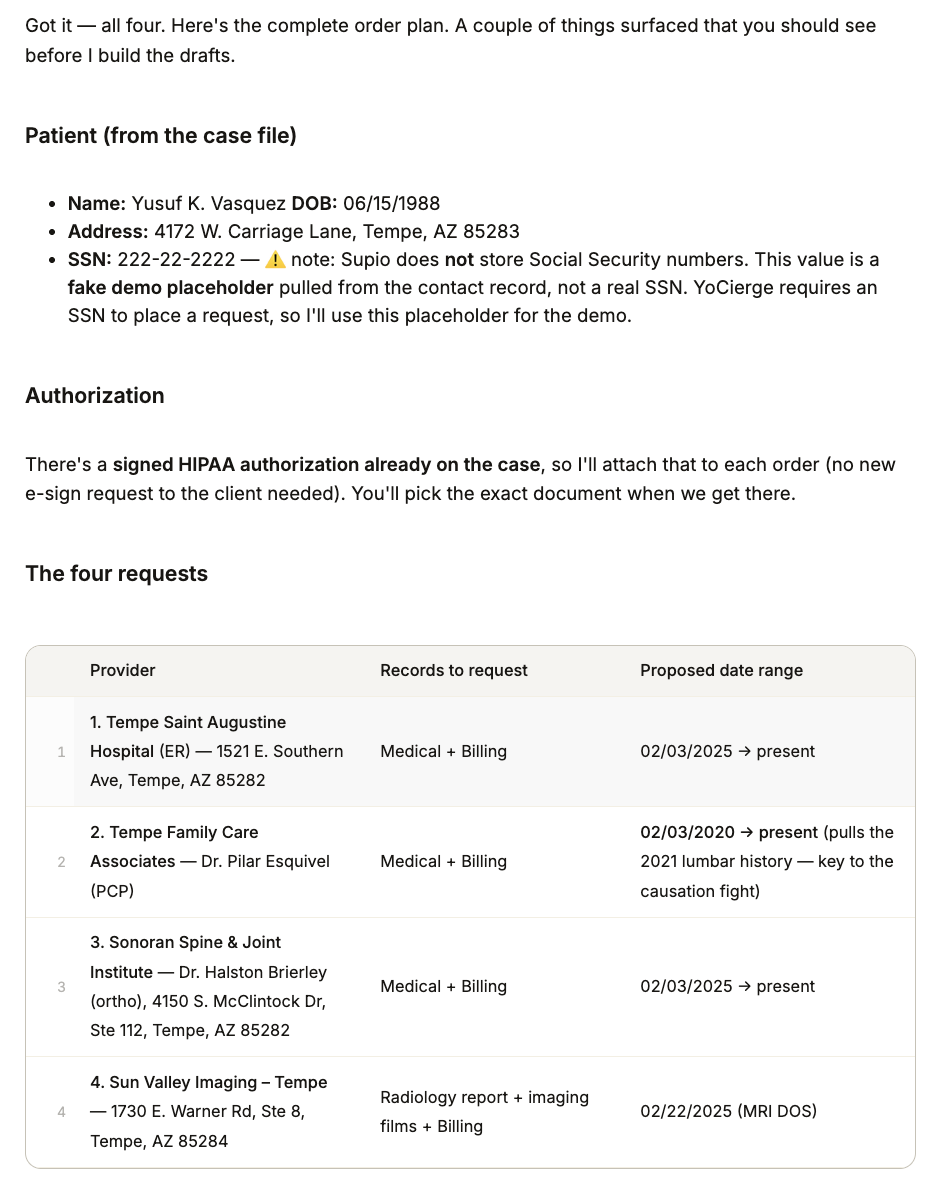
Confirm Provider and Patient Details

Choose the Right Authorization Option

Use a signed HIPAA authorization already saved in the case, or have YoCierge send your client an electronic signature request by email or text.

If your firm prefers its own authorization form, Supio can generate one from your template. Have it signed electronically or on paper, save the signed copy to the case, and attach it to the request. The workflow supports the authorization process your team needs for that client.
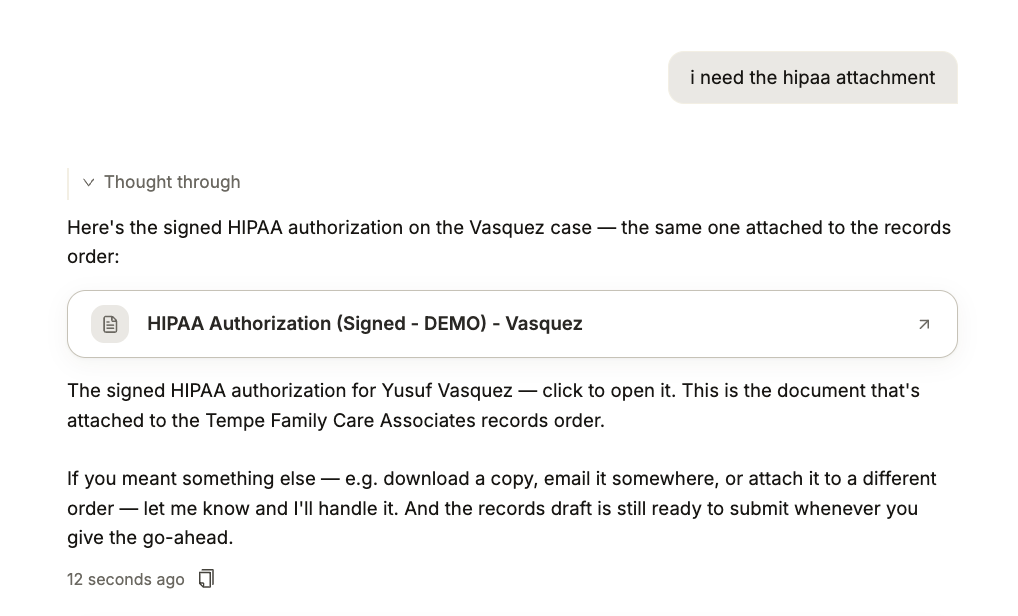
Authorization Options

Approve Every Request Before Submission

Your firm stays in control of the request. Confirm the provider, patient identity, and authorization, then review the full order summary before submission.

Nothing is sent to the provider until you explicitly approve it. Supio helps prepare the order, and your team makes the final decision to submit.
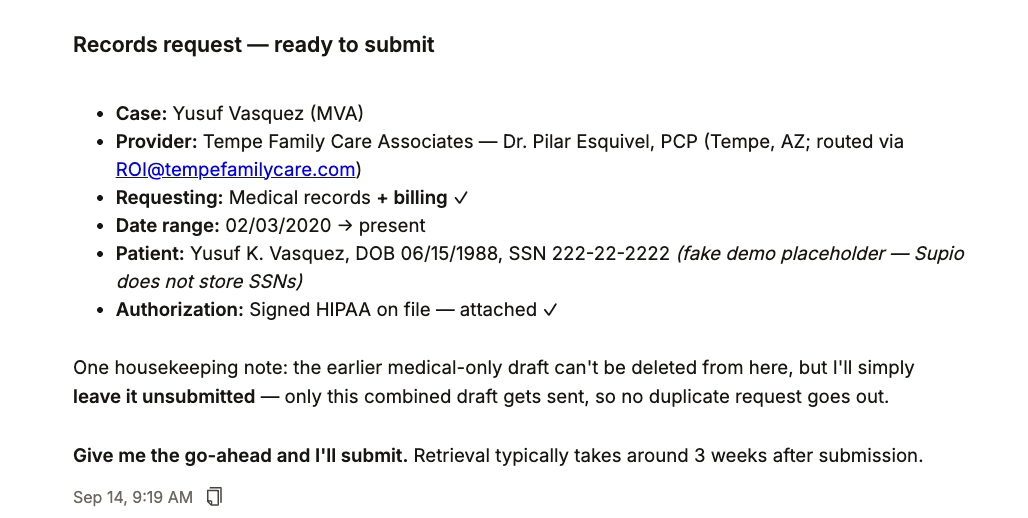
Approve Request Before Submission

Receive Records Directly in the Case

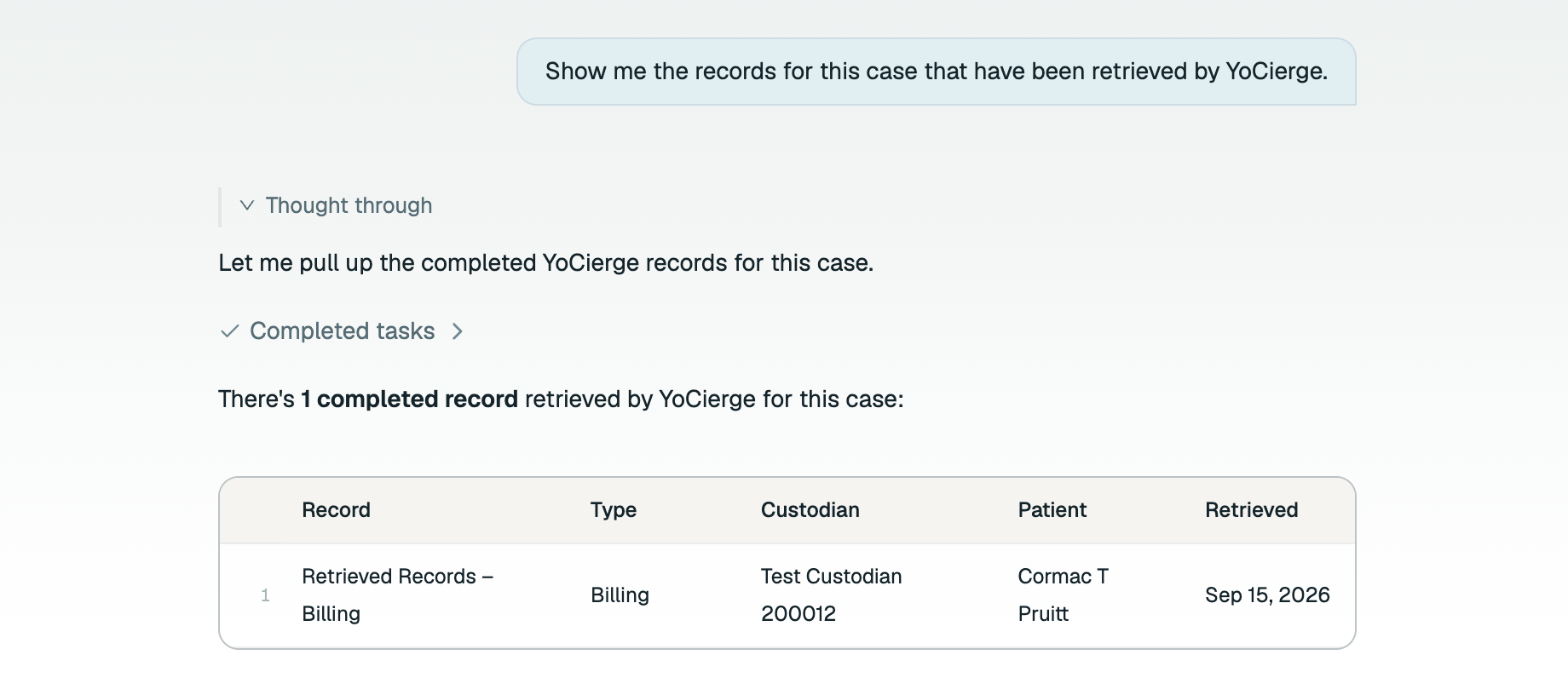
Completed records are added automatically to the corresponding case, saving your team the work of downloading and uploading the returned files.

You can also ask Supio whether the YoCierge records have arrived. With the documents in the case, your team can move into review and identify any follow-up requests needed.

Records Delivered in the Case

Turn Retrieved Records into Case Preparation

Once records are available, your team can use Supio Agent to:

  • Summarize the records: Identify the provider, record type, dates covered, and clinically notable information.
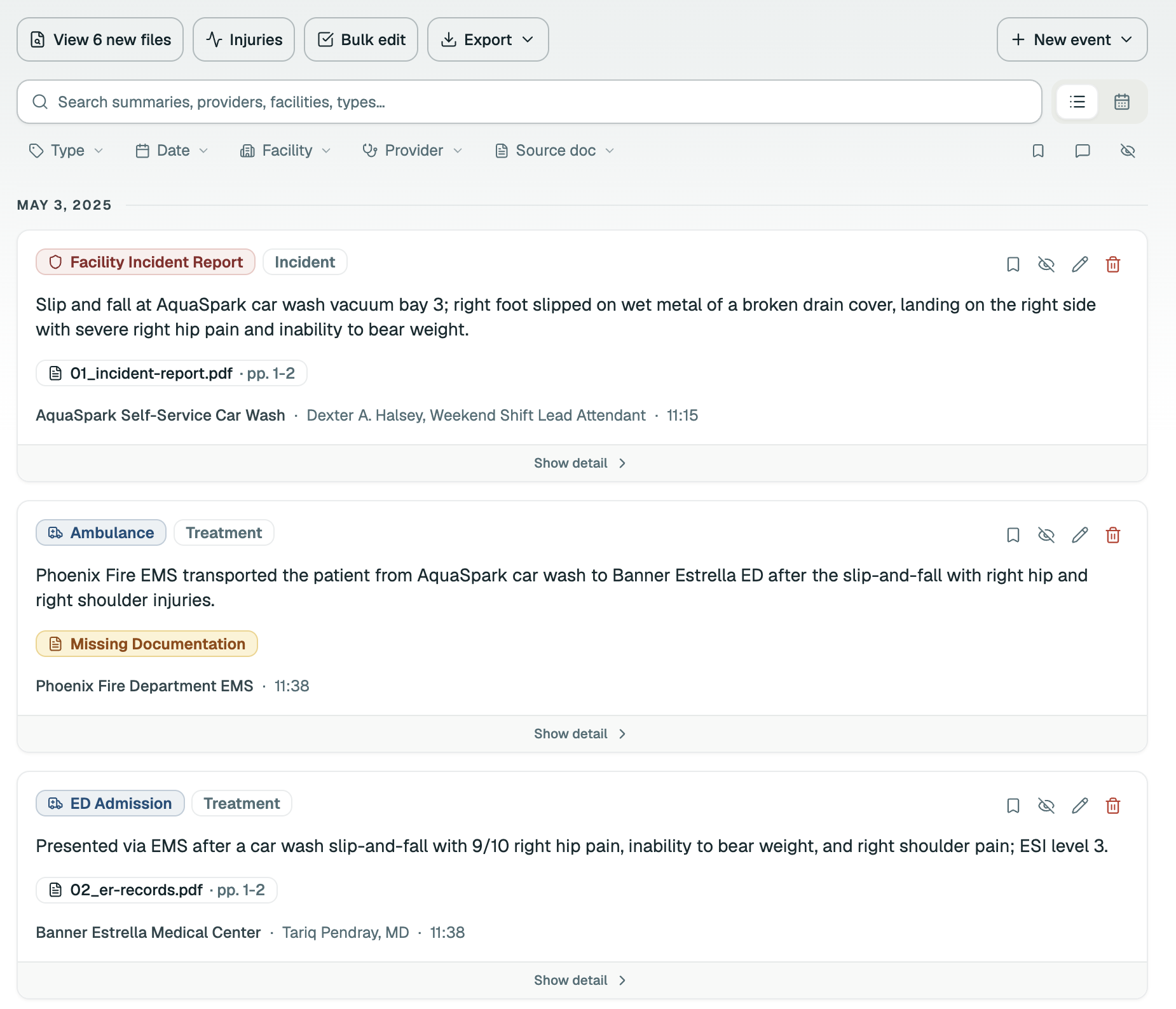
  • Build a medical chronology: Assemble a dated treatment timeline with citations to the source records.
  • Organize damages: Extract charges and liens into a running billing and damages ledger.
  • Prepare demand drafts: Draft demand letters and other documents grounded in the records.

Supio can also help flag what remains outstanding, connecting each new delivery with the next step in your case preparation.

Case Preparation with Supio Agent

Turn It On for Your Firm

Available to firms on Supio Agent with an active YoCierge account. Register each requester's Supio login email as an ordering user in YoCierge and you're ready to order.

Talk to YoCierge
New to YoCierge? Get set up